TL;DR: SoundSwitcher is a macOS menu bar app that swaps speaker and microphone together with a single shortcut (⌥⌘S). I built it in Swift with Claude Code using /goal, fully expecting native macOS APIs to be a wall. They weren't. The whole thing took an afternoon. GitHub →
The Problem: Switching Audio on macOS Is a Small Nightmare
If your audio setup changes during the day — headphones for focused work, a desk mic for calls, laptop speakers when you step away from the desk, AirPods for everything in between — you know the routine.
Open System Settings. Go to Sound. Change the output device. Go back. Change the input device. Realize the system didn't register the change. Do it again. Now do that four times a day.
There are workarounds. AppleScript scripts wired to a shortcut. Audio apps with multi-device routing. BetterTouchTool automations that work until a macOS update silently breaks them. Most of them solve half the problem: they switch the speaker, or the mic, but not both atomically. And none of them are fast.
What I actually wanted was one keystroke that said: "switch to this profile" — meaning output device and input device, together, instantly. With a visual confirmation that it worked. And if the device in the profile isn't connected right now, skip it gracefully instead of throwing a system error.
That's SoundSwitcher.
The App
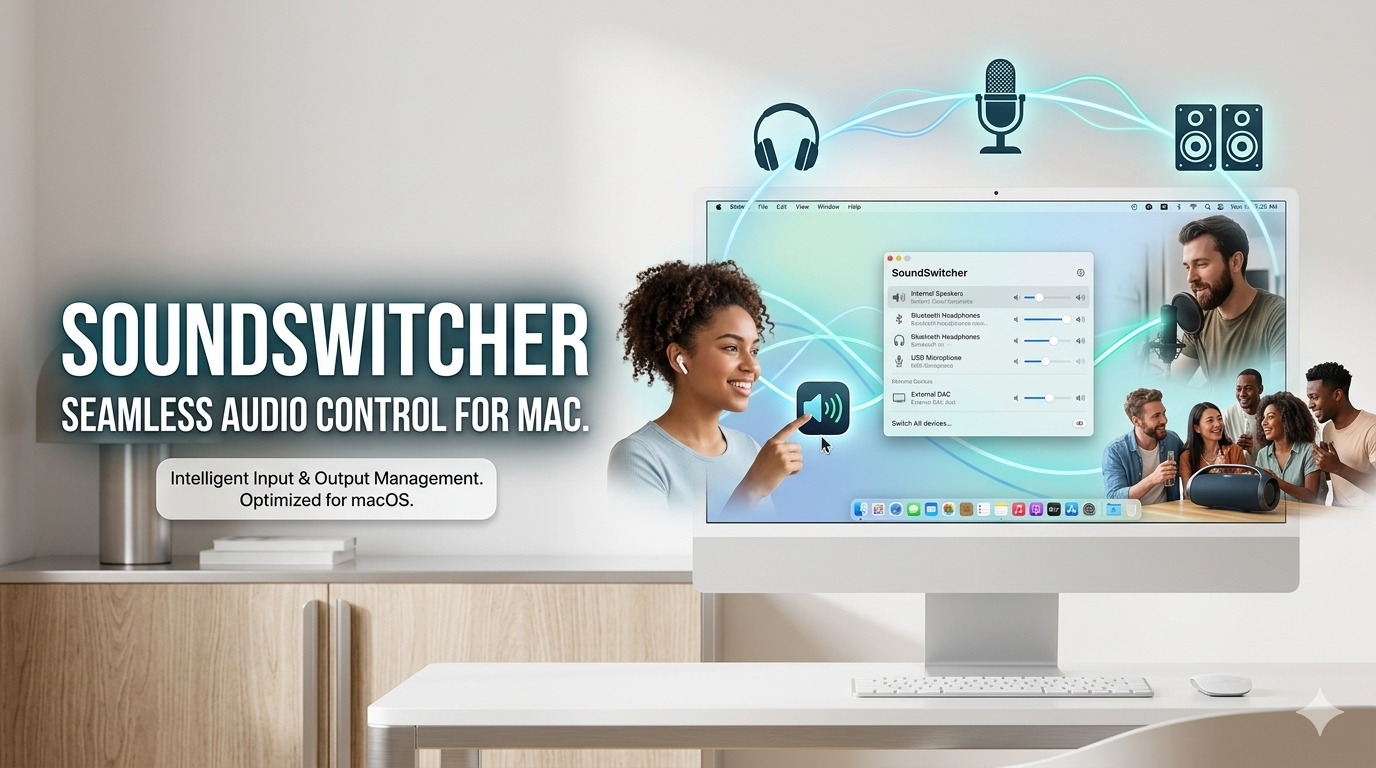
SoundSwitcher lives in the menu bar. You define profiles — each one pairs an output device with an input device. Press ⌥⌘S and it cycles to the next available profile, applying both devices at once. A banner appears near the top of the screen for 2.5 seconds confirming what switched.
If a device in a profile isn't connected (AirPods not in range, USB interface unplugged), that profile is skipped automatically. No error, no panic. The banner tells you what happened.
An example setup that covers most working days:
| Profile | Output | Input |
|---|---|---|
| MacBook | MacBook Pro Speakers | MacBook Pro Microphone |
| Office mic | MacBook Pro Speakers | HyperX SoloCast |
| Headset | Plantronics BT600 | Plantronics BT600 |
| AirPods | AirPods Pro | AirPods Pro |
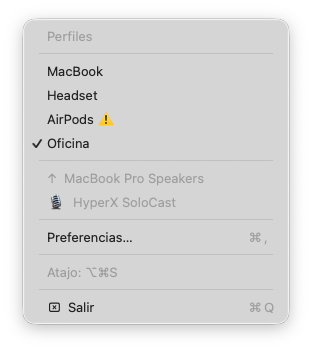
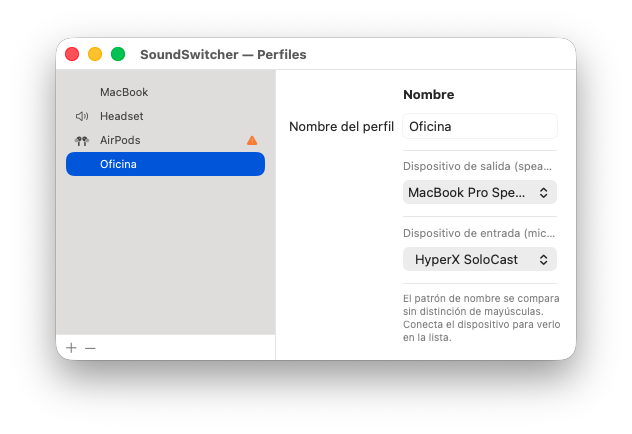
Device names are matched as case-insensitive substrings, so "hyperx" matches "HyperX SoloCast" without having to copy the exact string from System Settings.
The preferences panel is native macOS — no web views, no Electron, no custom UI framework. You create profiles, name them, pick output and input, reorder them. That's the whole surface.
Building It with Claude Code: The Surprise
I used Claude Code to build SoundSwitcher. Not to scaffold a template or generate boilerplate — to actually build the thing, from scratch, in Swift.
My expectation going in was that this would be the hard case for vibe coding. Swift is typed and verbose. macOS native apps touch system APIs that change between OS versions. Menu bar apps have their own lifecycle quirks. The preferences window, the global keyboard shortcut registration, the audio device enumeration — these aren't web APIs with ten Stack Overflow answers per error. I anticipated a lot of back-and-forth.
What actually happened: I used the /goal command in Claude Code to describe what I wanted — the full picture, not just a first step. A menu bar app, audio profiles, a cycling shortcut, smart fallback, native UI. Claude Code took that goal, broke it into tasks, and worked through them. It understood CoreAudio, it handled the NSStatusItem lifecycle correctly, it wired up the NSEvent global monitor for the keyboard shortcut without me having to look up the right API surface.
The moments where I stepped in were the expected ones: reviewing generated code before accepting it, adjusting a preference I had about UI layout, catching one case where the fallback logic wasn't quite right. The moments where Claude Code surprised me were the ones where I expected to step in but didn't have to.
The whole thing was done in an afternoon.
What /goal Changes About the Process
The conventional vibe coding loop is message-by-message: you describe a small step, the model does it, you describe the next step. It works, but it front-loads a lot of planning onto you. You're the architect and the product manager and the QA at every step.
/goal shifts that. You describe the end state — what the thing should do when it's done — and Claude Code handles the decomposition. The planning happens in the model, not in your head. You stay in review mode instead of orchestration mode.
For something like SoundSwitcher, where the final behavior was clear (one shortcut, full profile swap, smart skip) but the path through Swift and macOS APIs was not obvious to me, that shift made a real difference. I wasn't guiding the model through CoreAudio. I was reading its output and deciding whether it was right.
That's a much better use of attention.
The Download
SoundSwitcher requires macOS 13 Ventura or later and Apple Silicon (M1 and later).
Update (Sept 2026): SoundSwitcher is now on my Homebrew tap, which is the easiest way to install it:
brew trust augustose/tap
brew install augustose/tap/soundswitcher
Alternatively, download the zip from the latest release, drag the app to /Applications, and open it. Either way, if macOS flags it, go to System Settings → Privacy & Security and click Open Anyway. The menu bar icon appears immediately.
To launch it automatically at login: System Settings → General → Login Items → add SoundSwitcher.
The full source is on GitHub, MIT licensed. If you want to build from source: make install from the repo root handles the rest.
Got a Tool You Wish Existed?
If you have a small workflow problem that's been annoying you for months — something you keep working around instead of fixing — reach out. I'd love to help you build it. augustose@gmail.com